


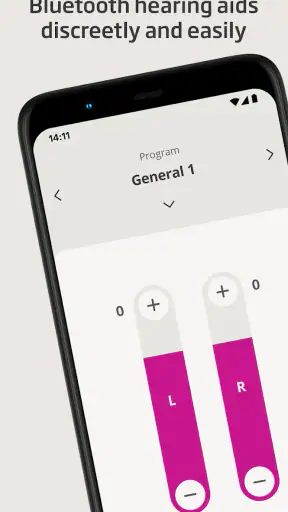
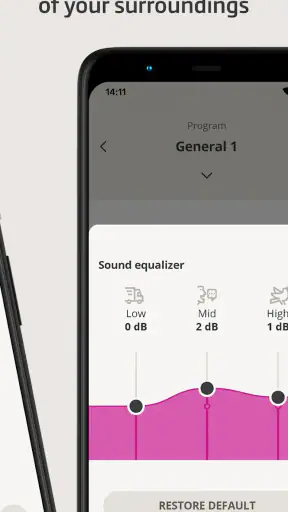
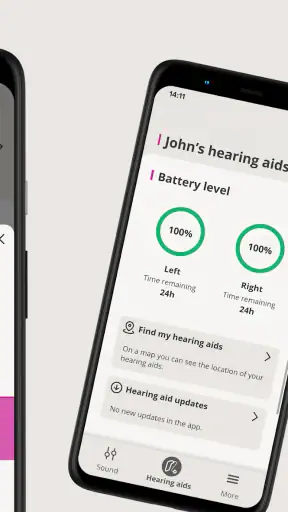
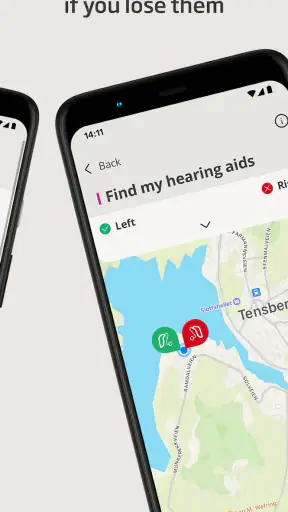
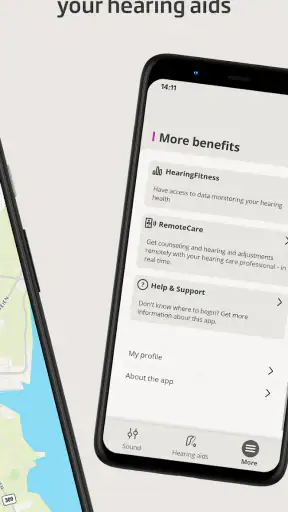
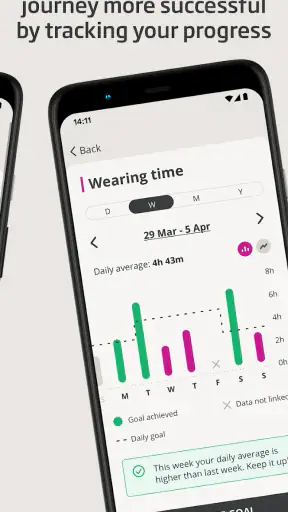
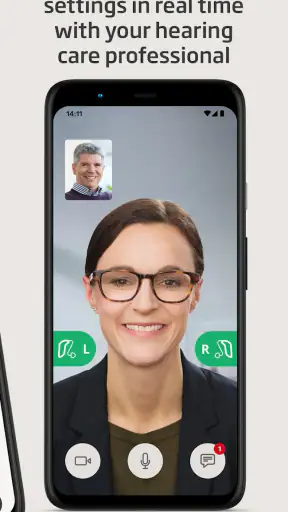
Oticon Companion is the kind of medical app I only appreciate after using it in an ordinary day rather than judging it from a feature list. It is made by Oticon A/S for people who use compatible Oticon hearing aids, and its purpose is to put everyday control within reach of a phone. I can adjust and manage the listening experience discreetly instead of reaching for a separate accessory or making a visible adjustment on the hearing aid itself.
That sounds simple, but simplicity matters here. Hearing support is personal, and the right setting can change how comfortable a conversation, commute, television program, or family gathering feels. My overall impression is that this is a practical companion rather than a replacement for professional hearing care. It is free, rated for Everyone, and available for devices running Android 8.0 or later. Those details make it approachable, although the real deciding factor is whether it works with your particular Oticon hearing aids and whether your phone fits comfortably into your daily routine.
What the app is really for in daily life
The clearest strength is discreet control. Instead of drawing attention to the hearing aids, I can use the phone as the interface. That is useful in places where I would rather not handle the devices directly, such as at a restaurant table, during a meeting, or while walking through a noisy public space. The phone becomes a familiar control surface, which feels less awkward than experimenting with the hearing aids in front of other people.
In practical terms, the app is best understood as a remote companion for hearing-aid use. It helps bridge the gap between the settings chosen during a fitting and the changing conditions of real life. A hearing specialist can establish a useful baseline, but no single environment stays the same all day. The sound around me changes, my listening needs change, and my comfort can change with them. Having control nearby gives me more room to respond without treating every small difficulty as a reason to book another appointment.
That convenience also explains why the app has attracted a substantial audience. It has passed one million installs, with an average rating of 4.1 from around nineteen thousand ratings. I would not treat those figures as proof that it will suit every wearer, because hearing aids, phones, and personal preferences vary considerably. Still, they suggest that the basic idea is useful to many people and that the app is established enough to be more than an experimental utility.
The first setup deserves patience
The part I would not rush is the initial connection. A hearing-aid control app can only be useful when the phone and the hearing aids communicate reliably, so I would begin at home, with both devices charged and enough time to repeat a step if necessary. Starting this process just before leaving for work or entering an appointment is asking for frustration.
I would also keep the hearing-care professional involved when the issue is persistent. If sound remains uncomfortable, speech is still difficult to follow, or one ear seems noticeably different from the other, changing settings repeatedly in the app may hide the real problem rather than solve it. The app is valuable for day-to-day control, but it should not become a substitute for an adjustment that requires clinical attention.
The current version is 1.8.0, and the app was released on January 17, 2023. I see that as useful context rather than a promise about how every phone will behave. Android compatibility begins with version 8.0, but operating-system support alone does not guarantee an identical experience across every handset. Bluetooth behavior, battery-saving rules, and manufacturer-specific settings can all affect how smoothly a connected accessory behaves.
Trust starts with what I can see and control
Because this is a medical-category app, I pay closer attention to trust than I would with a casual game or a wallpaper tool. The important question is not only whether the controls work, but whether I understand what I am choosing when I use them. My preferred approach is to install it from the official store, read each system prompt, and avoid granting access simply because a screen makes the request look routine.
I would not assume that an app has access to information just because it controls hearing aids, and I would not assume the opposite either. Permissions, Bluetooth behavior, account requirements, and data handling should be judged from the prompts and privacy information visible on the device at the time of setup. If a permission does not make sense for the task I want to perform, I would pause and check its purpose before accepting it.
This is especially important for family members who help someone else with hearing aids. A relative may be tempted to complete setup quickly, but the wearer should remain part of the decision. The phone may contain personal notifications, contacts, or other sensitive material unrelated to hearing support. Keeping the app’s role clear helps prevent a useful accessibility tool from becoming an excuse for unnecessary access to the rest of the phone.
My rule is simple: approve only what I understand, and revisit those choices when the phone or app changes. That is not a criticism of Oticon Companion specifically; it is sensible behavior for any app connected to a health-related device. It also gives the user a clearer sense of control, which matters more than a long list of impressive options.
Where the controls make a real difference
The best everyday scenario for me is a meal in a busy café. At home, a setting that feels comfortable may be enough, but a room full of voices, dishes, music, and movement can make listening tiring. I can keep the phone on the table or in my pocket and make a discreet adjustment rather than removing the hearing aids or trying to manipulate them by touch. The benefit is not that the app magically removes all background sound; the benefit is that I have a practical way to respond when the environment changes.
A similar workflow makes sense during television viewing. If the volume feels acceptable for the room but speech is still hard to follow, I would rather check the hearing-aid controls than keep raising the television for everyone else. That can be particularly helpful in a shared home, where one person’s preferred volume is not necessarily comfortable for another person.
Travel is another useful case, although I would prepare before leaving. Airports, stations, and unfamiliar buildings are poor places to troubleshoot pairing. Once the connection is working, having the phone available can be reassuring because I do not need to remember every physical control on the hearing aids. I would still carry the usual backup essentials, including charged hearing aids and the accessories recommended by my hearing-care provider. A phone-based control is convenient, but it is not a reason to depend on a single electronic link.
One less obvious advantage is social discretion. Some users may not want to explain every adjustment to the people around them, especially in a new workplace or a formal appointment. The app lets the wearer manage the situation privately. That can reduce the small amount of attention and self-consciousness that sometimes comes with visible hearing-aid adjustments.
What I would check before relying on it
The first question is compatibility. The app is not a universal remote for every hearing aid, and the name of the developer does not by itself tell me whether a particular model is supported. I would confirm compatibility for the exact Oticon hearing aids I use before treating the app as part of my routine. If the device is not supported, the app cannot compensate for that mismatch.
The second question is phone dependence. A separate physical control may be better for someone who does not regularly carry a smartphone, dislikes touchscreens, has difficulty seeing small interface elements, or wants a control that can be used without unlocking a phone. The app is most convenient when the phone is already nearby, charged, and easy to operate. It is less attractive if reaching for the phone is itself difficult.
The third question is stability in the environments where I need it most. I would test the connection at home, then in a quieter public place, before depending on it during an important conversation. If controls respond slowly or the connection needs frequent attention, a physical alternative may be more dependable for that user. The right comparison is not simply app versus no app; it is app control versus the method I can use confidently under pressure.
There is also a privacy moment that is easy to overlook. A phone used for hearing-aid control may be shared with a partner or family member, and notifications can appear on its screen while someone else is helping with setup. I would keep the wearer in charge of the phone and review visible prompts together. If an account or sign-in screen appears, I would use only an account the user understands and can manage, rather than letting someone else create credentials that become difficult to recover later.
How it compares with the usual alternatives
The most obvious alternative is direct adjustment on the hearing aids. That approach does not require a phone and can be dependable when the user knows the controls well. Its weakness is that small physical buttons or touch surfaces may be difficult to locate, especially while wearing gloves, in dim light, or during a conversation. Oticon Companion is more discreet and familiar for people who already use a smartphone, but it adds another device and another connection to maintain.
A dedicated remote control sits between those options. It can be simpler than a phone and may be easier for a person who wants only hearing-aid controls. On the other hand, it is another item to carry and remember. The app wins when the phone is already part of the user’s routine; the dedicated accessory may win when simplicity and independence from a smartphone matter more.
Professional adjustment remains different from both. A hearing specialist can evaluate the underlying fit and listening needs in a way an app cannot. I would use the app for small, immediate changes and everyday convenience, while treating recurring discomfort, unclear speech, or unequal performance between the ears as reasons to seek professional help. That division of responsibility is important: convenient control should support good care, not replace it.
For users comparing it with a generic Bluetooth utility, I would choose the purpose-built Oticon option when the hearing aids are compatible. A generic connection tool may pair devices in some situations, but it is not designed around the wearer’s control workflow. The specialized app is more relevant because it belongs to the same product ecosystem. The trade-off is that this specialization also limits who can use it.
Small habits that make the experience safer and smoother
I would keep the app’s role narrow and clear. Use it to manage the hearing aids, but do not treat every listening problem as a setting problem. If a familiar sound suddenly becomes distorted, if one side stops behaving normally, or if the aids become uncomfortable, I would stop experimenting and check the equipment or contact the hearing-care provider.
I would also test important settings in a low-pressure environment. Before using a change at work, in a lecture, or during a long journey, I would try it at home with a conversation or television program. That gives me time to notice whether the change actually improves speech or merely makes the sound louder. Louder is not always clearer, and the app should be used thoughtfully rather than as a volume reflex.
Another useful habit is to keep the phone’s basic maintenance under control. I would avoid letting aggressive battery-saving settings interrupt an app I depend on, and I would keep both the phone and hearing aids charged before a long day. These are ordinary precautions, but they matter more when a person expects the phone to be available at a difficult listening moment.
For a family helper, I would let the wearer perform as much of the process as possible. Assistance is useful for reading screens or confirming a connection, but the person using the hearing aids should know where the controls are and what each adjustment is meant to do. That preserves independence and makes it easier to recognize when the app is helping versus when a professional review is needed.
Who should use it, and who may be happier without it
I think Oticon Companion is a strong fit for Oticon hearing-aid users who already carry an Android phone, want discreet control, and are comfortable learning a connected accessory. It is especially practical for people who move between quiet rooms and noisy public spaces, share a home with others, or prefer not to handle the hearing aids directly in social situations.
I would be more cautious about recommending it to someone who rarely carries a phone, has limited confidence with touchscreen controls, or needs a solution that remains usable when the phone is unavailable. In those cases, direct controls or a dedicated remote may feel more natural. It may also be the wrong choice for someone expecting the app to diagnose hearing problems, replace a fitting appointment, or make every noisy environment easy without any personal adjustment.
The free price removes one barrier to trying it, but free does not mean effortless. The real investment is time: confirming compatibility, completing setup carefully, learning the controls, and deciding which changes genuinely improve listening. For a medical app, that is a reasonable standard. I would rather spend a few minutes understanding the system than rely on controls I do not trust.
Oticon Companion has earned around two thousand reviews in addition to its broader rating activity, and that level of public use makes it easier to see as a mature everyday tool rather than an obscure experiment. Even so, I would judge it by my own connection quality and comfort, not by its popularity. Hearing support is too individual for a crowd average to settle the question.
My cautious verdict
I recommend Oticon Companion when its central promise matches the user’s situation: a compatible Oticon hearing-aid wearer who wants discreet, phone-based control during normal daily life. I like the way it can turn a potentially awkward adjustment into a quiet action on a device already in my hand. Its value appears most clearly in changing environments, where a fixed setting may not remain comfortable for long.
My recommendation comes with boundaries. I would verify the exact hearing-aid compatibility, read every permission and account prompt, keep the wearer in control of access, and test the connection before relying on it away from home. I would also keep a backup approach and involve a hearing professional when the problem seems persistent rather than situational.
For me, the app is best viewed as a practical layer between professional fitting and real-world listening. It does not need to do everything to be useful. If you want a discreet way to manage compatible Oticon hearing aids and already use an Android phone, the free app is worth considering. If you want total independence from a phone or need clinical answers, a physical control or professional appointment may be the better choice.


